
Endpoints
AE RDF talks directly to SPARQL endpoints from your browser. On a deployed instance the available endpoints come from the app's bundled configuration (config/app.json): pick one from the header and connect. No data leaves your machine; queries go straight from the browser to the endpoint.
Deployed vs. authoring: A deployed AE RDF runs in config mode, with its endpoint list fixed by
config/app.json. Each tool ships its own config, so endpoints are not shared between AE SKOS and AE RDF. Adding, editing, testing, and authenticating endpoints is part of the standalone / authoring build, where you assemble the list you then export and deploy (see The Endpoint Manager and Exporting a deployment config in the Configuration Guide). To change the endpoints on a deployed instance, edit the config and redeploy.
Choosing and switching endpoints
Click the endpoint badge in the header to open the endpoint menu, then pick one. Selecting an endpoint connects to it and (re)loads its Types sidebar. Switching later works the same way. The active endpoint is kept in the URL as a short slug, so a shared or bookmarked link opens on the right dataset (see Shareable URLs).
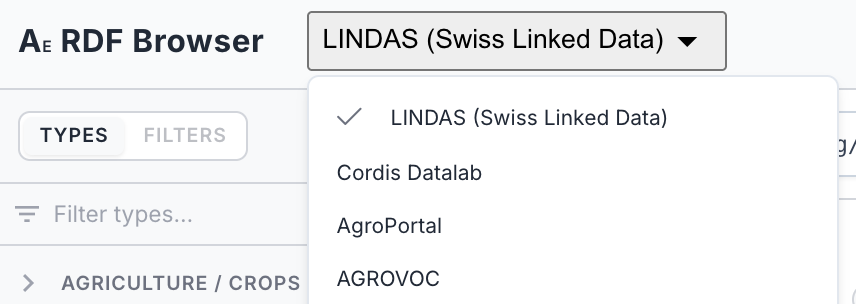
The header endpoint dropdown, with a checkmark on the currently selected endpoint.
Adding your own endpoints
Custom endpoints, authentication, connection testing, and named-graph behaviour live in the authoring build, documented in the Configuration Guide:
- The Endpoint Manager: add, edit, test, select, and remove endpoints
- Adding a custom endpoint: name and SPARQL URL
- Authentication: Basic, API key, or Bearer token
- Graph behaviour: named graphs (quads) and default view
- Exporting a deployment config: bake your list into
config/app.json