
Settings
Open the settings dialog from the  button in the header. Settings are saved in your browser (localStorage).
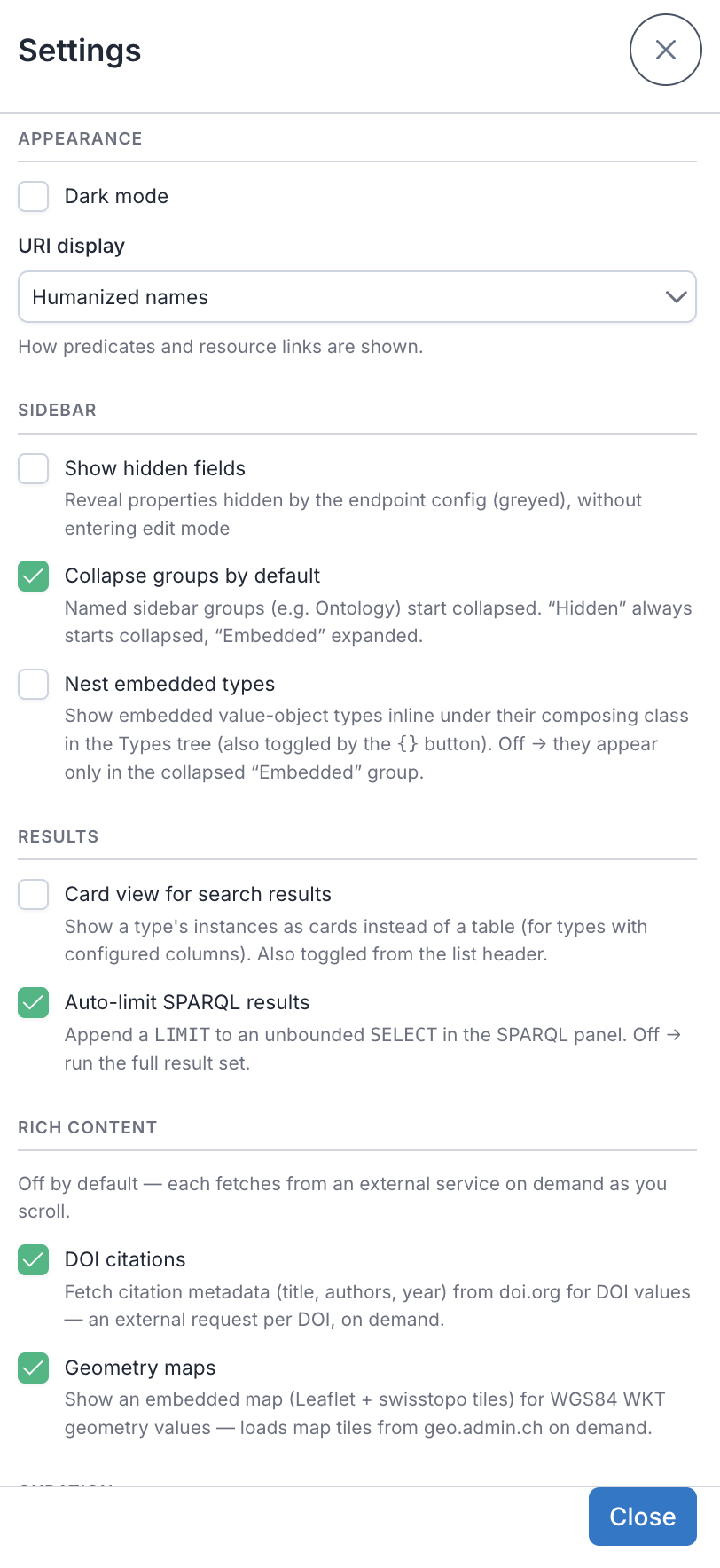
- Dark mode — toggle light/dark theme.
- URI display — how predicates, links, and type names render:
- Humanized names (default) — friendly labels (e.g. "Date end applicability").
- Prefixed — compact qnames (e.g.
skos:Concept). - Full URI — the raw IRI.
- Show hidden fields — reveal properties hidden by the endpoint config (shown greyed), without entering authoring mode.
- Collapse groups by default — named sidebar groups (e.g. "Ontology") start collapsed. The built-in Hidden group always starts collapsed and Embedded always starts expanded, regardless of this setting.
- Nest embedded types — off by default. When on, embedded value-object types show nested inline under their composing class in the Types tree (also toggled by the
{}button in the Types header). Off → they appear only in the collapsed Embedded group. - Card view for search results — on by default. Shows a type's instances as cards instead of a table (for types with configured columns); also toggled from the list header.
- Auto-limit SPARQL results — on by default. Appends a
LIMITto an unboundedSELECTin the SPARQL panel; turn off to run the full result set. - DOI citations — off by default. When on, DOI values show an inline citation card (authors, year, title, …) fetched from doi.org on demand — an external request per DOI you scroll to. See Rich values.
- Geometry maps — off by default. When on, WKT geometry values render an embedded map (swisstopo / OpenStreetMap tiles — external tile requests). See Rich values.
- Config authoring mode — off by default (clean, read-only browsing). Turn it on to reveal the per-type gears in the Types sidebar and the export buttons below. The configured effects (embed/hide/pin) apply either way; this just shows the editing tools. Authoring — per-type configuration, graph behaviour, and exporting a deployment config — is covered in the Configuration Guide.